Procurement decision workspace
Landed cost calculator and material cost impact
Compare a material quotation with explicitly included transport costs, confirmed customs and VAT bases, and product mass. Keep import VAT cash separate from pre-VAT cost per tonne. The original cost-impact workspace remains available with its existing inputs and formulas; the additional shipment mode makes quotation inclusions and tax assumptions visible.
Connect a supplier quote to landed €/t, monthly purchasing exposure, material cost per finished unit and the selling-price adjustment needed to absorb a change. Compare up to three origins and test editable best, base and worst assumptions.
Material and volume
t/month
g/unit
Commercial context
€/unit
%
The price-impact output covers only the material-cost change. It does not infer labour, conversion, packaging or overhead.
Origin comparison
Enter real supplier, freight and tariff assumptions. MatQuo supplies no invented live quote or lane rate.
| Origin / option | Currency | Quote / t | Freight / t | Duty | USD per EUR | Handling €/t | Landed €/t | Monthly exposure |
|---|---|---|---|---|---|---|---|---|
| — | — | |||||||
| — | — | |||||||
| — | — |
Scenario assumptions
Scenarios apply to Origin A. Positive FX change means more USD per EUR, reducing a USD-denominated cost.
Base
Worst
Local decision record
Cost Impact Brief
Planning estimate from user-entered assumptions. Confirm quote terms, origin, customs classification, preference evidence, tariff, freight, FX convention and all excluded costs before use.
Evidence and calculation record
Landed cost
- Inputs
- User-entered supplier quote, freight/insurance, duty, FX and handling.
- Formula
((quote + freight) × (1 + duty%)) ÷ USD-per-EUR + handlingfor USD inputs; no FX division for EUR inputs.- Geography and period
- Defined by the user’s quotation and shipment; MatQuo does not infer either.
- Revision risk
- High until Incoterms, customs value, commodity code, origin and preference evidence are confirmed.
- Represents
- An editable per-tonne planning estimate and its arithmetic consequences.
- Does not represent
- A live supplier price, binding freight quote, legal tariff ruling, VAT position or total manufactured-unit cost.
Official checks
EU TARIC consultation · ECB euro reference rates · MatQuo methodology.
How landed cost is calculated
The CIF value is the material price plus freight to the border. Import duty is charged on that CIF value, then the total is converted to euros at the EUR/USD rate, and local handling is added:
Landed €/t = ((price + freight) × (1 + duty%)) ÷ (EUR/USD) + handling
Because FX and freight move independently of the quoted price, the landed cost can change even when the supplier's number doesn't — which is exactly why buyers watch the market and the applicable tariff together.
Worked example — USD quote to landed euros
- Material: $1,050.00/t; freight and insurance: $75.00/t. CIF is $1,125.00/t.
- At 6.5% duty, the duty-inclusive amount is $1,198.13/t.
- At 1.17 USD per EUR, that is €1,024.04/t.
- Add €20.00/t handling: estimated landed cost €1,044.04/t.
The default fields reproduce this example. Change each assumption to the shipment you are evaluating.
What is not included
The result excludes VAT recovery timing, anti-dumping or safeguard duties, customs-broker fees, port storage, demurrage, inspection, financing, inland transport after the entered handling amount and any product loss. It also assumes the price and freight share the selected currency.
Common errors
- Using a preferential duty without valid proof of origin.
- Entering an FX quote in the opposite direction; this field is USD per EUR.
- Adding freight twice when the supplier quote is already CIF.
- Treating a customs unit value as a supplier quotation.
Verify the legal rate in TARIC and the reference-rate convention at the ECB. See MatQuo’s calculation methodology.
Related tools
Additional mode: shipment cost and VAT
All extra charges and tax bases are in EUR. Changing the quotation basis suggests inclusion boxes; verify the actual quote. VAT is shown as cash, without assuming recovery. The worked-example button loads clearly fictional tax rates.
Preserve the original comparison
The original workspace and its default scenarios are retained. Its example duty and currency assumptions remain illustrative inputs, not current tariff or exchange-rate recommendations. The separate shipment mode below accepts your own quotation boundary and confirmed tax bases without changing the existing calculations.
Avoid automatic tax-base assumptions
The quotation can include freight, insurance or inland delivery. Checked inclusion boxes prevent those amounts being added again; they do not prove the quote actually includes the service. Customs and import VAT use their own valuation rules, so both bases are explicit. No duty or VAT rate is preselected in the new mode. Check classification in MatQuo’s HS-code guide and applicable measures in the EU TARIC tool; TARIC does not supply national VAT rates.
Compare the same delivery boundary
Use CIF versus DDP to review responsibilities separately from arithmetic. The displayed total can support a delivered-cost budget, but it cannot establish importer eligibility or create a binding DDP offer. VAT recovery is also not assumed; cash and pre-VAT totals are shown independently.
Comparison at a glance
| Output | Calculation boundary |
|---|---|
| Quotation in EUR | Quote multiplied by entered EUR conversion factor |
| Additional services | Only items not already included |
| Duty | Confirmed customs base × entered test or actual rate |
| Pre-VAT cost | Quote + additional services + duty |
| Cash including VAT | Pre-VAT cost + VAT on confirmed VAT base |
Worked example
Fictional 10 t exercise: quote €10,000.00 border freight €1,000.00 insurance €100.00 and inland €500.00. Confirmed test customs base €11,100.00 at 5% gives €555.00 duty. Pre-VAT cost is €12,155.00 or €1,215.50/t and €1.22/kg. Confirmed test VAT base €12,155.00 at 20% gives €2,431.00 VAT and €14,586.00 cash. These rates are fictional, not recommendations.
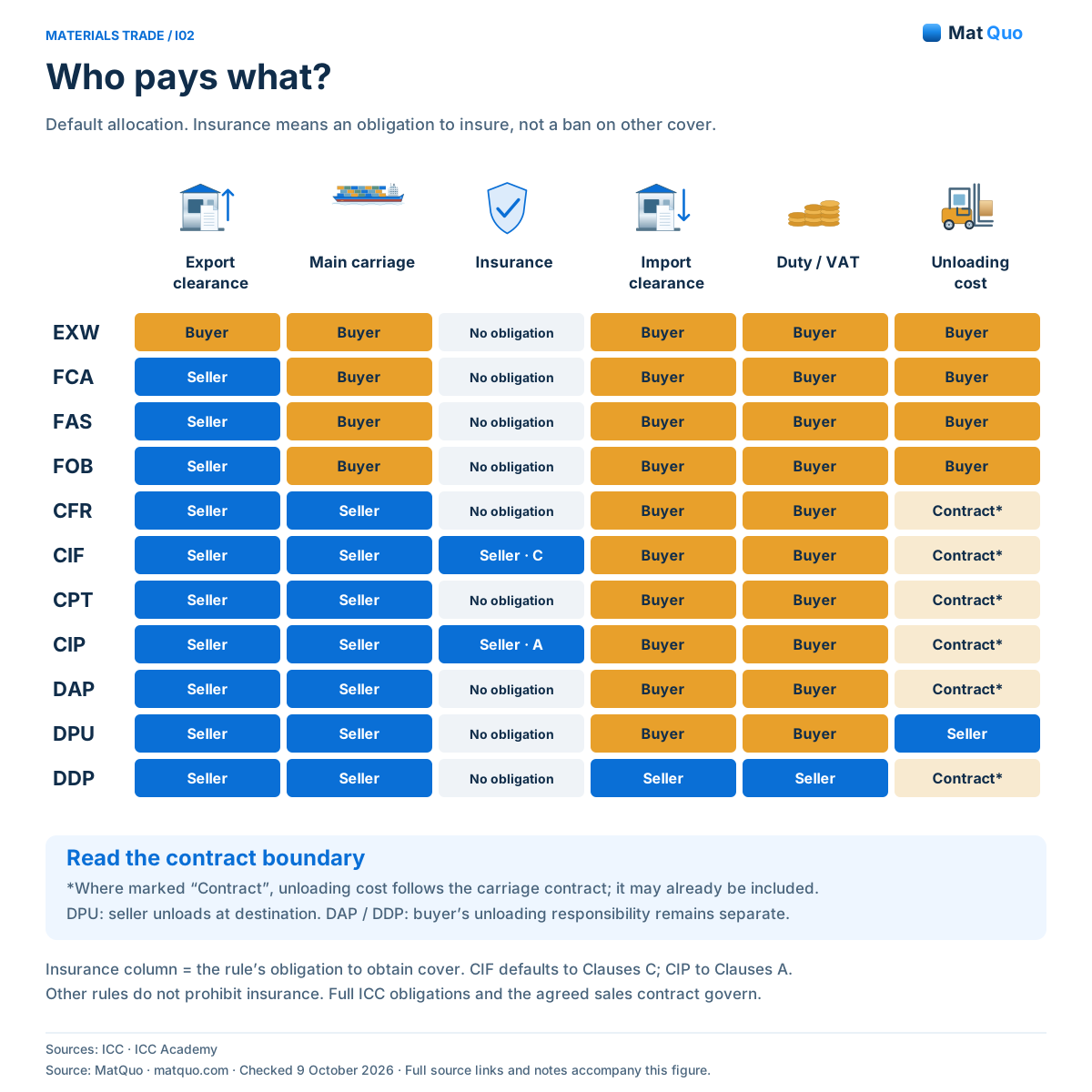
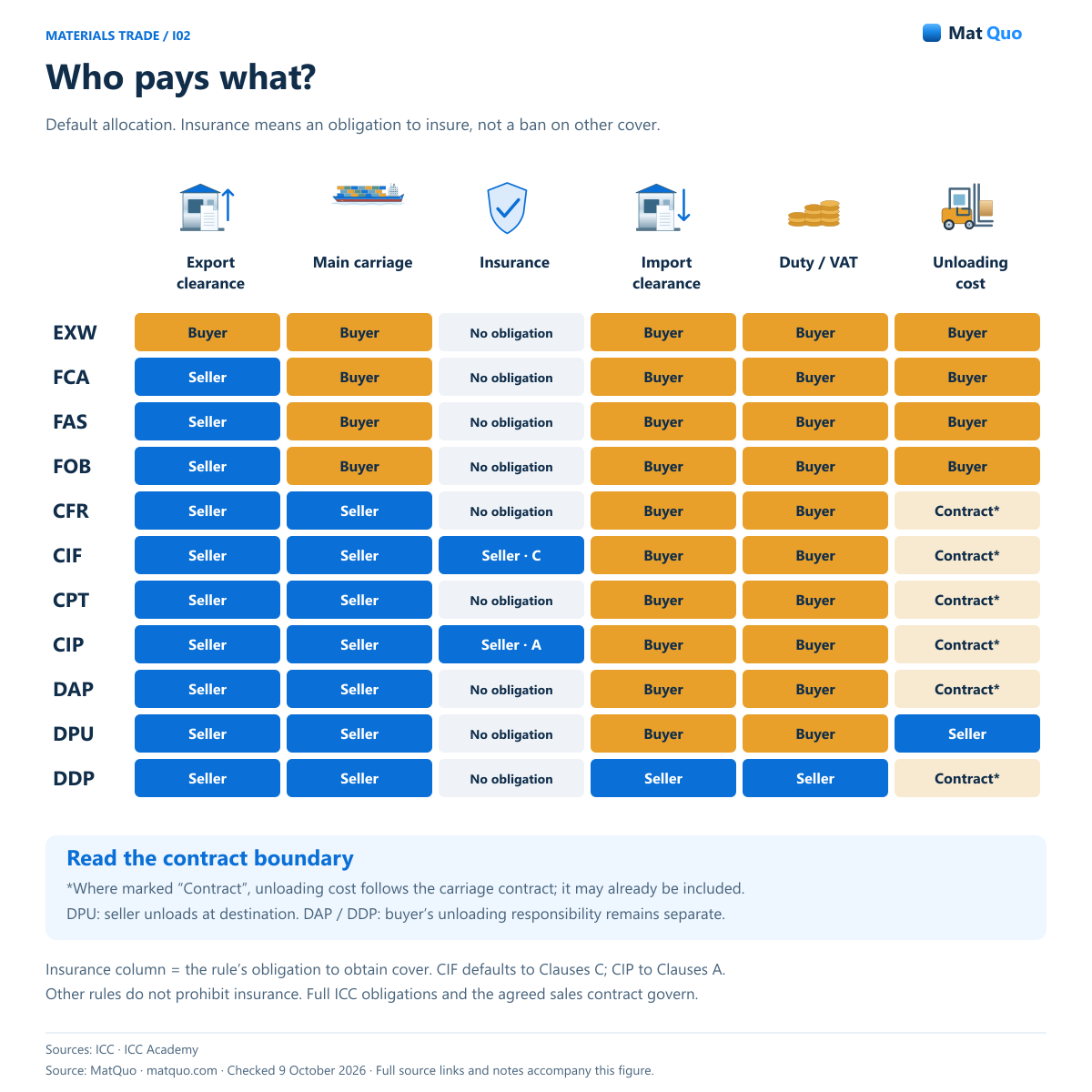
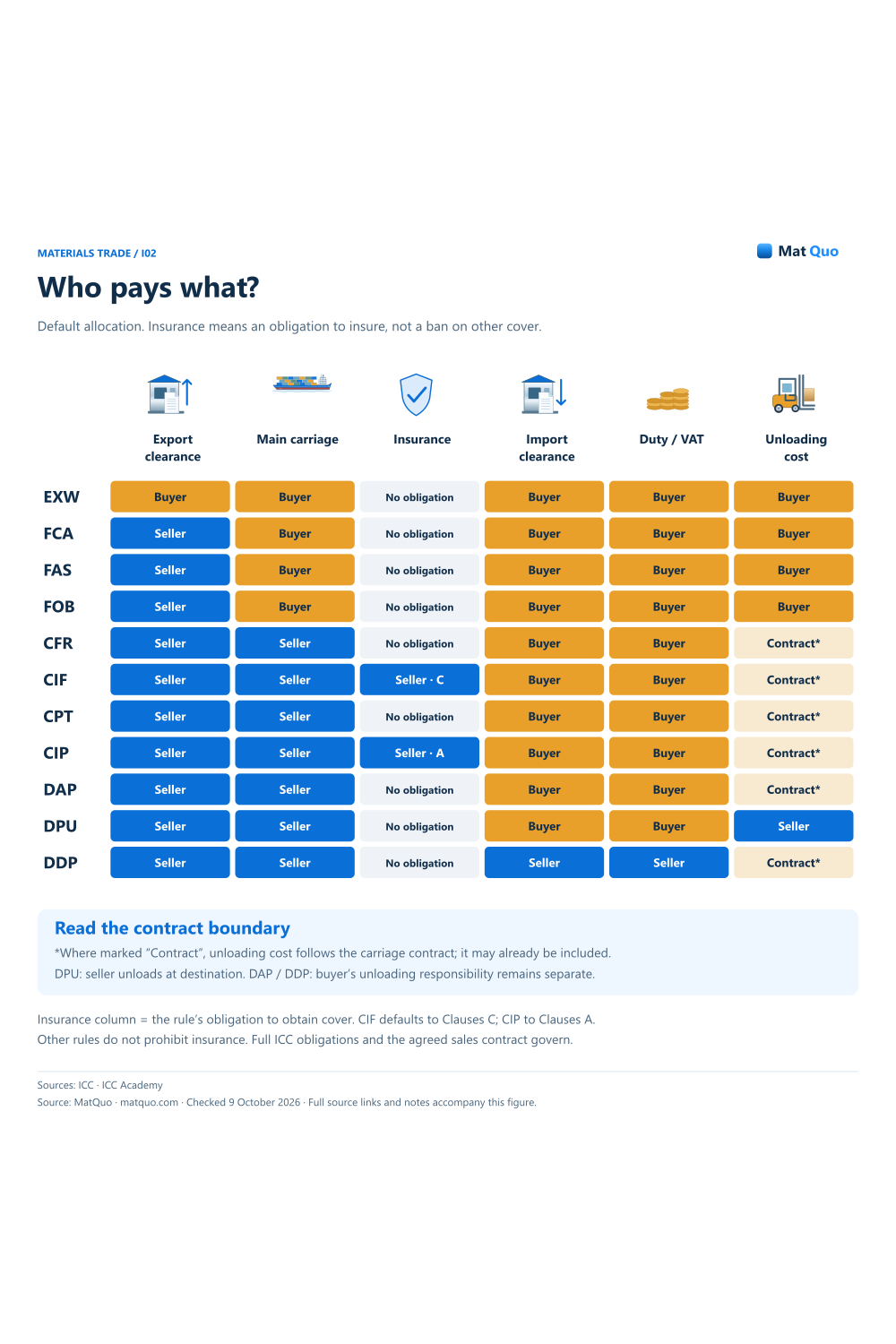
Who pays what?
Default allocation. Insurance means an obligation to insure, not a ban on other cover.
Detailed poster: scroll horizontally on a small screen, or open the full-size figure. The readable text equivalent is below.
ICC • Incoterms 2020 · ICC Academy • CPT and CIP · ICC Academy • DAP and DDP · Checked
Text equivalent and notes
- EXW
- Export: Buyer • Import: Buyer. Import duty / tax: buyer. Insurance: None. Main carriage: buyer. Unload: buyer at destination
- FCA
- Export: Seller • Import: Buyer. Import duty / tax: buyer. Insurance: None. Main carriage: buyer. Unload: buyer at destination
- FAS
- Export: Seller • Import: Buyer. Import duty / tax: buyer. Insurance: None. Main carriage: buyer. Unload: buyer at destination
- FOB
- Export: Seller • Import: Buyer. Import duty / tax: buyer. Insurance: None. Main carriage: buyer. Unload: buyer at destination
- CFR
- Export: Seller • Import: Buyer. Import duty / tax: buyer. Insurance: None. Main carriage: seller. Unload: check carriage contract
- CIF
- Export: Seller • Import: Buyer. Import duty / tax: buyer. Insurance: Seller • Clauses C. Main carriage: seller. Unload: check carriage contract
- CPT
- Export: Seller • Import: Buyer. Import duty / tax: buyer. Insurance: None. Main carriage: seller. Unload: check carriage contract
- CIP
- Export: Seller • Import: Buyer. Import duty / tax: buyer. Insurance: Seller • Clauses A. Main carriage: seller. Unload: check carriage contract
- DAP
- Export: Seller • Import: Buyer. Import duty / tax: buyer. Insurance: None. Main carriage: seller. Unload: check carriage contract
- DPU
- Export: Seller • Import: Buyer. Import duty / tax: buyer. Insurance: None. Main carriage: seller. Unload: seller at destination
- DDP
- Export: Seller • Import: Seller. Import duty / tax: seller. Insurance: None. Main carriage: seller. Unload: check carriage contract
Embed with credit
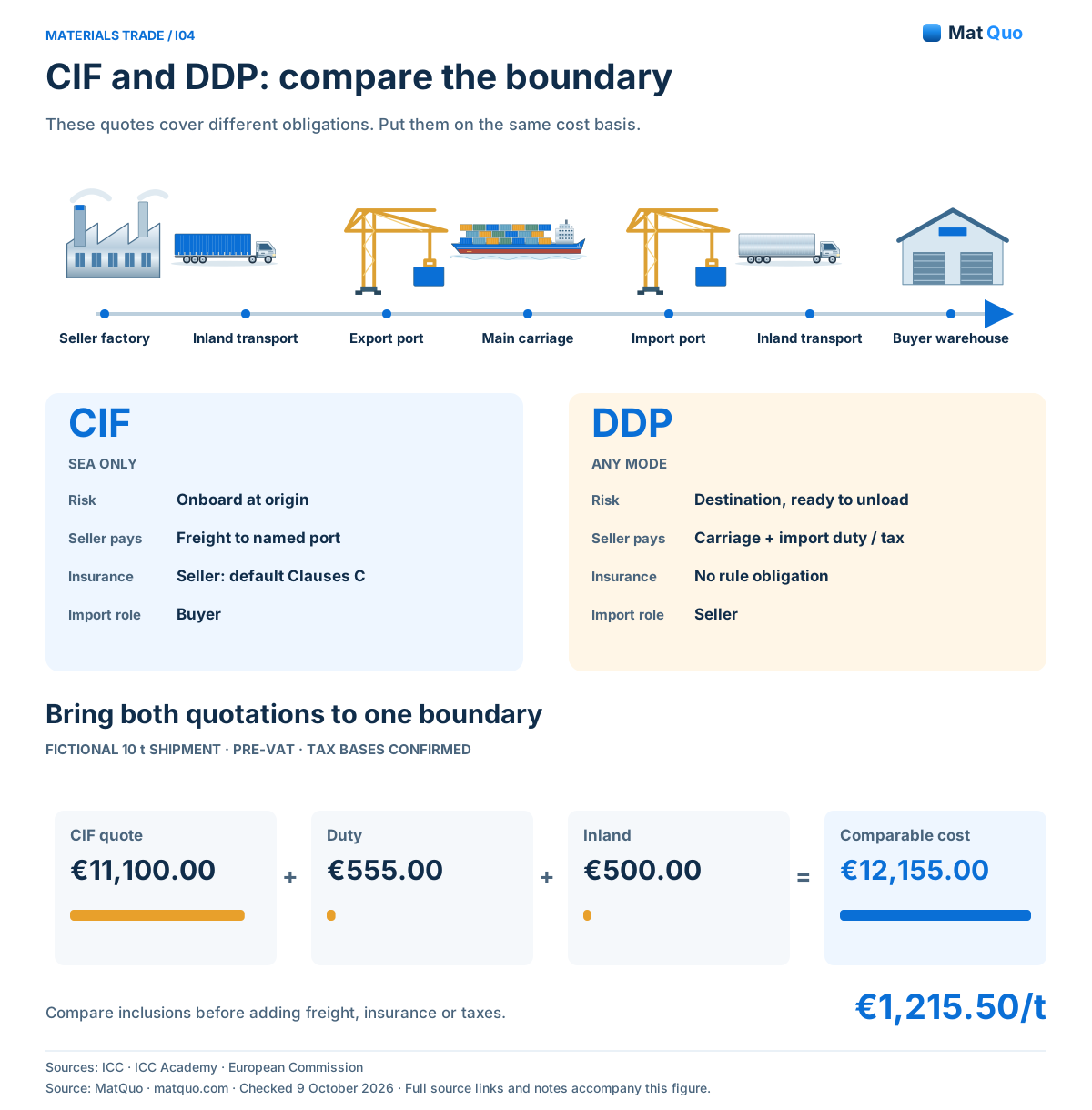
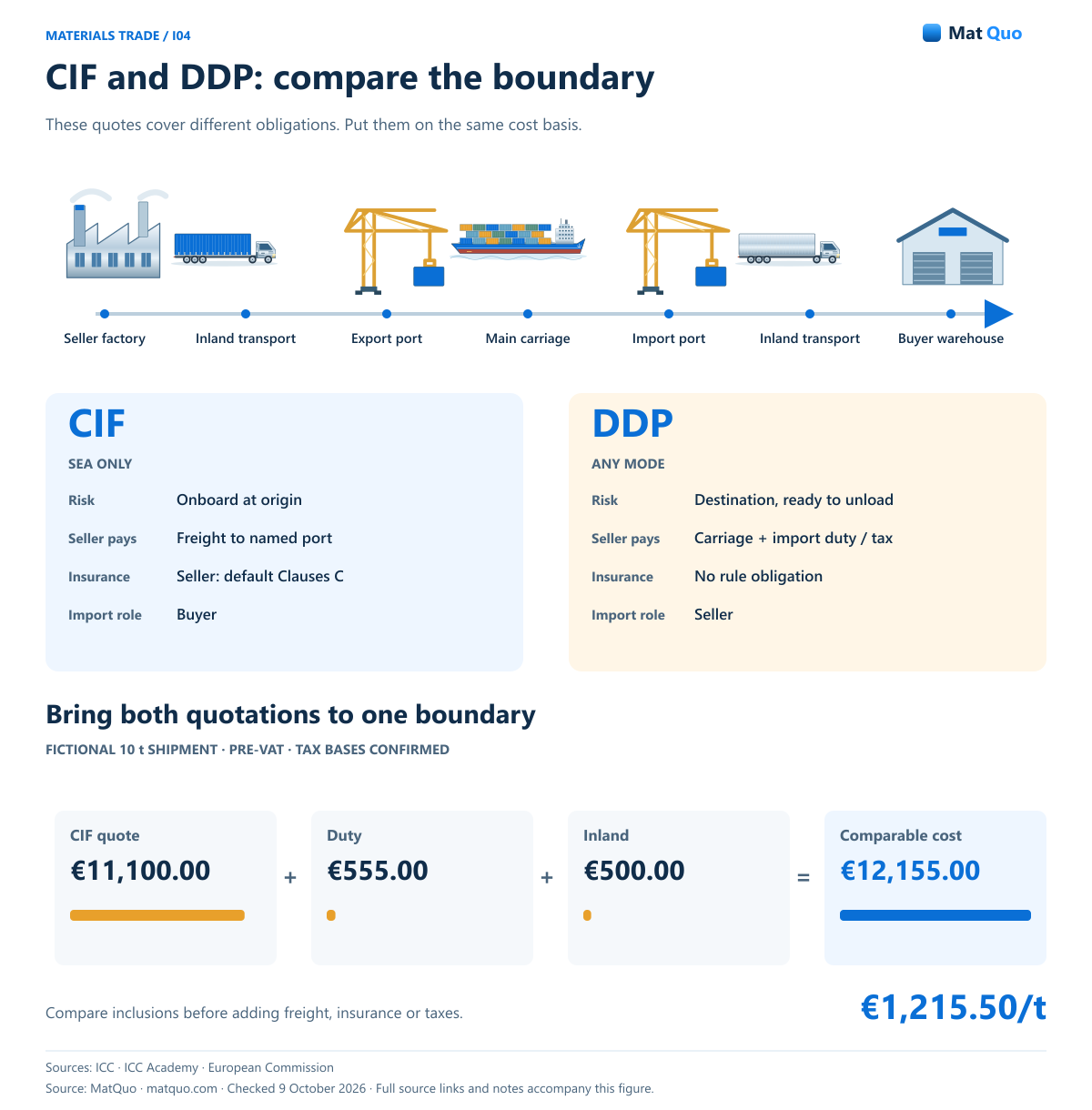
CIF and DDP: compare the boundary
These quotes cover different obligations. Put them on the same cost basis.
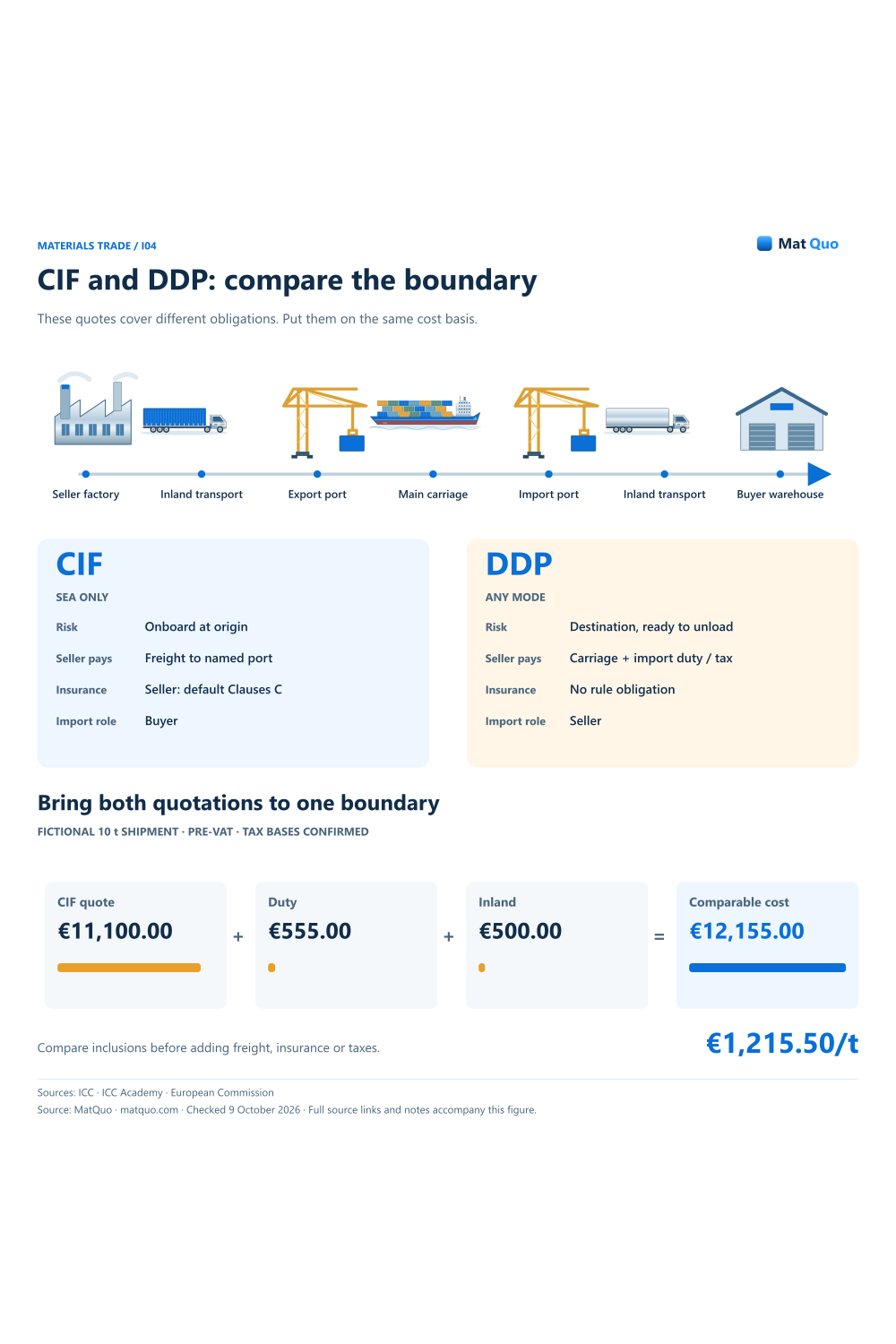
Detailed poster: scroll horizontally on a small screen, or open the full-size figure. The readable text equivalent is below.
ICC • Incoterms 2020 · ICC Academy • DAP and DDP · European Commission • Customs valuation · Checked
Text equivalent and notes
- CIF • sea only
- Risk: onboard at origin. Freight: seller to named port. Insurance: seller, default C. Import formalities: buyer
- DDP • any mode
- Risk: destination, ready unload. Carriage: seller to named place. Import duty / tax: seller. Insurance: no rule obligation
- Fictional 10 t comparison
- CIF quote €11,100.00 + duty €555.00. + inland €500.00 = €12,155.00. Pre-VAT basis: €1,215.50/t. Tax bases explicitly confirmed
Embed with credit
Common mistakes
- Adding freight twice to a CIF-inclusive quotation.
- Using an unverified exchange factor or legal tax base.
- Treating VAT cash as automatically recoverable or automatically permanent cost.
Questions and answers
Will the original default examples change?
The existing workspace keeps its original controls and calculation code. The new shipment comparison is a separate mode with separate inputs, so its inclusion and tax-base fields do not replace the established scenario formulas. The established examples can still be reproduced with the same values, while shipment-specific inputs remain independent of those original scenario assumptions.
Why must I enter customs and VAT bases separately?
They follow legal valuation rules that cannot be determined from an Incoterm alone. The calculator can perform arithmetic once the bases are confirmed, but it does not infer every addition, exclusion or destination treatment. Keep the supporting valuation evidence with the shipment and obtain the appropriate review before relying on actual tax amounts.
How does the tool avoid duplicated freight?
Each service has an “already included” control. When checked, that service is not added on top of the quotation amount. Confirm the quotation’s actual scope before using the control, and keep currency treatment consistent. The tool cannot detect an inclusion that is missing or ambiguous in the supplier’s commercial documents.
Sources and review scope
- ICC • Incoterms 2020 — Current edition; 11 rules; CIF/CIP insurance distinction.
- European Commission • Customs valuation — Transaction value and valuation additions/exclusions.
- European Commission • VAT taxable amount — Import VAT Articles 85–87. Use explicitly confirmed bases.
- European Commission • TARIC — Official tariff database entry point. National VAT rates are outside TARIC.
- ICC Academy • CPT and CIP — Carrier delivery, destination carriage, CIP insurance.
- ICC Academy • DAP and DDP — Destination delivery and import obligations.